
Section 27: Storefront - Users & Access Management


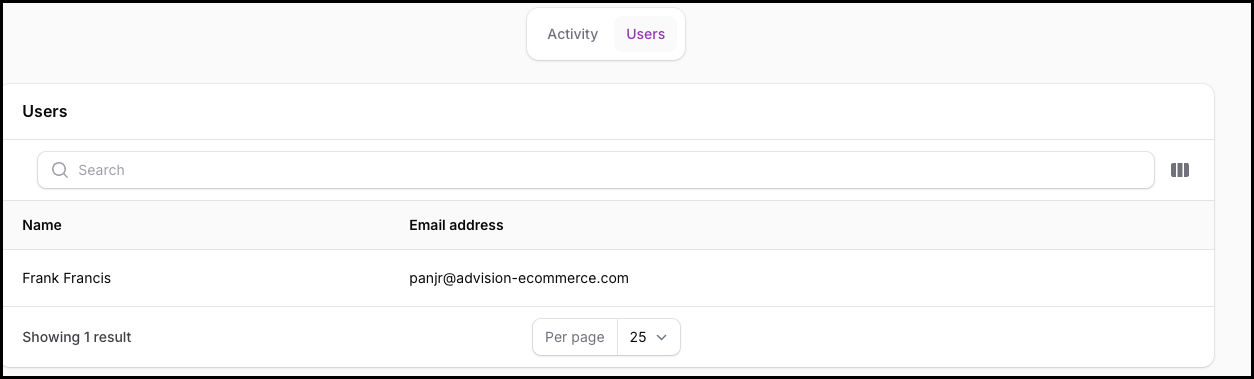
This section allows merchants to manage who can access CatalogPilot, what identity they use, and how they interact with the system.
CatalogPilot is designed to support multiple users per storefront, with shared visibility into catalog status and enrichment activity.
Users List View
The Users panel displays a list of all users who currently have access to the storefront.
Each row shows:
- Name — the user’s display name
- Email Address — used for login and notifications
Standard table controls are available:
- Search
- Pagination
- Per-page selection
Clicking a user row opens that user’s detail view.
User Detail View
When a user is opened, the following fields can be managed:
- Name
- Email address
- Password
- Preferred time zone
The time zone setting ensures:
- Accurate timestamps for approvals, enrichment, and activity logs
- Clear alignment across teams working in different regions
Changes take effect immediately.
User Removal
Users can be deleted from this view.
- Removing a user revokes their access to CatalogPilot
- It does not affect catalog data, enrichment state, or storefront delivery
- All approved content remains intact
Access Philosophy
CatalogPilot treats user access as an operational control, not a content control.
- Any user can review, approve, or edit content
- Approval actions are logged in the Activity feed
- There is no hidden or destructive permission model
This keeps collaboration simple and transparent.
Key Takeaway
The Users panel is for identity and access only.
It does not change:
- Enrichment logic
- Delivery behavior
- Approval state
It simply ensures the right people can safely work inside the system.
